 WebSoftOS
See your whole business — live in 3D
Sales, stock, warehouses, expiring batches, customers, dues and cash, drawn as a living town that updates itself. One look tells you what needs attention today.
- Live ERP data
- Business & hotel themes
- Same ERP login
- Phone & big screen
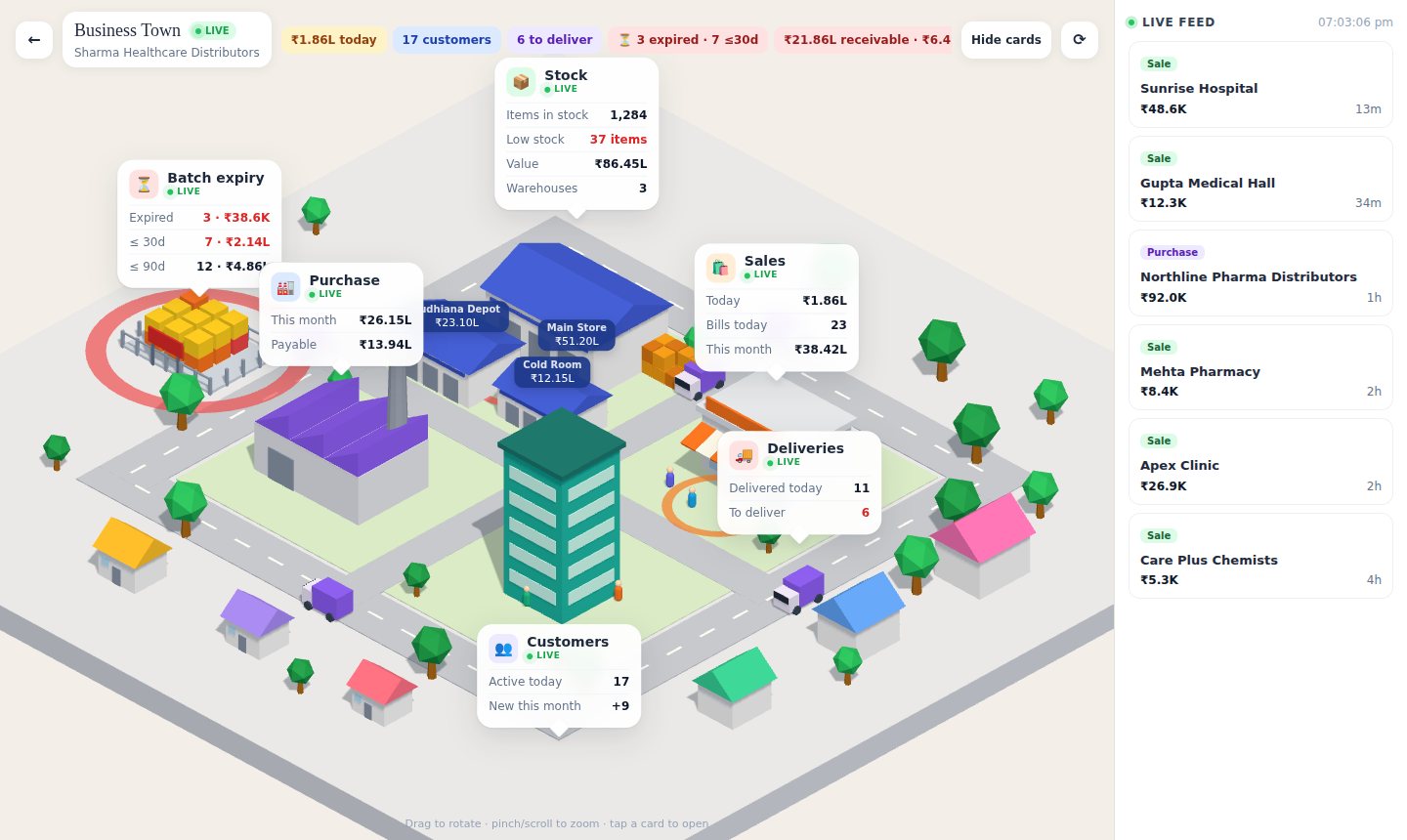
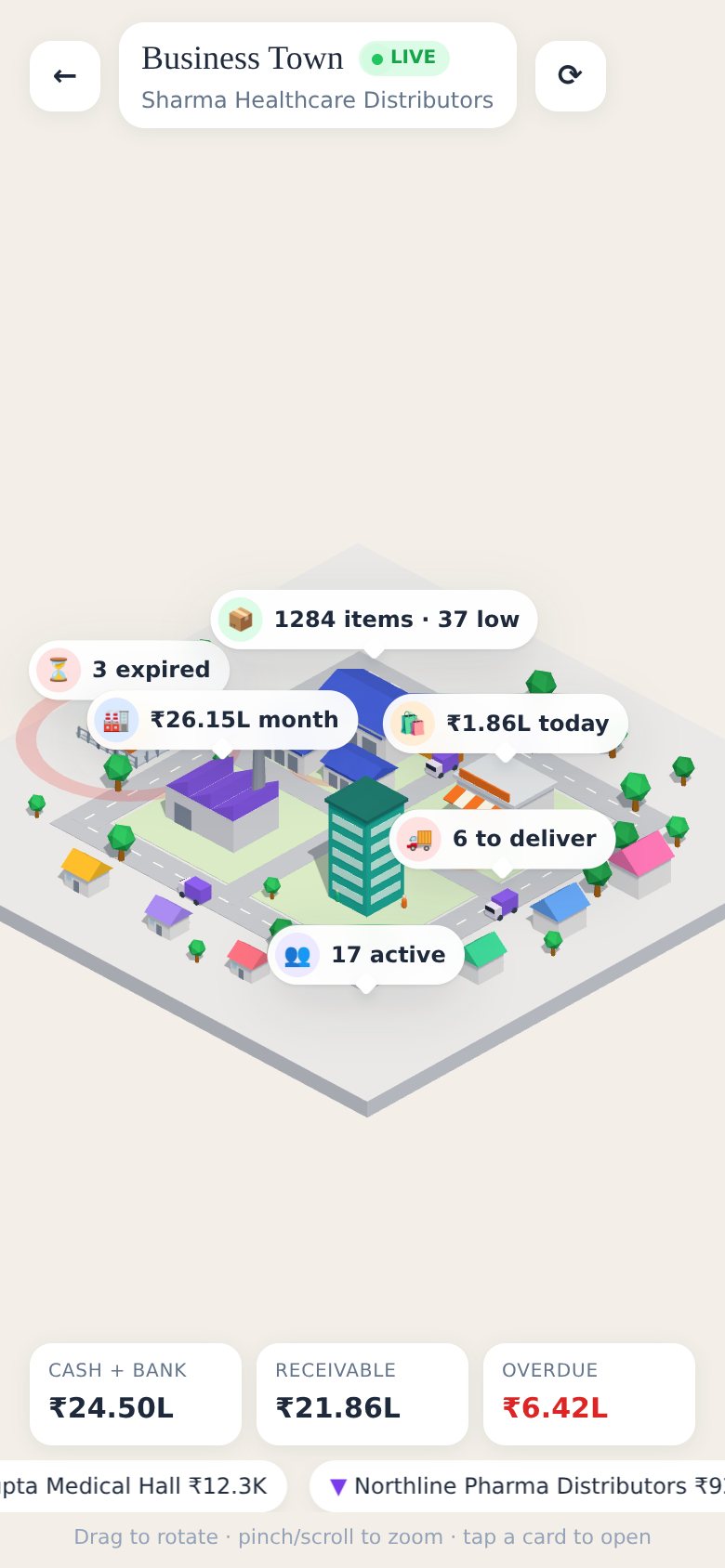
The WebSoftOS 3D dashboard turns your ERP into a live picture: buildings for each part of the business, floating cards with today’s numbers, and colour-coded alerts for low stock, expiring batches and overdue money. It reads the same books your accountant uses.
Every part of your business is a building
Warehouses hold your stock, the shop shows today’s sales, the factory is your suppliers, the houses are your top customers and vans drive your pending deliveries. Floating cards carry the live numbers, and a feed on the side shows the latest bills.
- Today’s and this month’s sales and purchases
- Top customers of the last 90 days, receivables and overdue
- Cash and bank, payables, deliveries due
- Tap a card to open the full list in the app
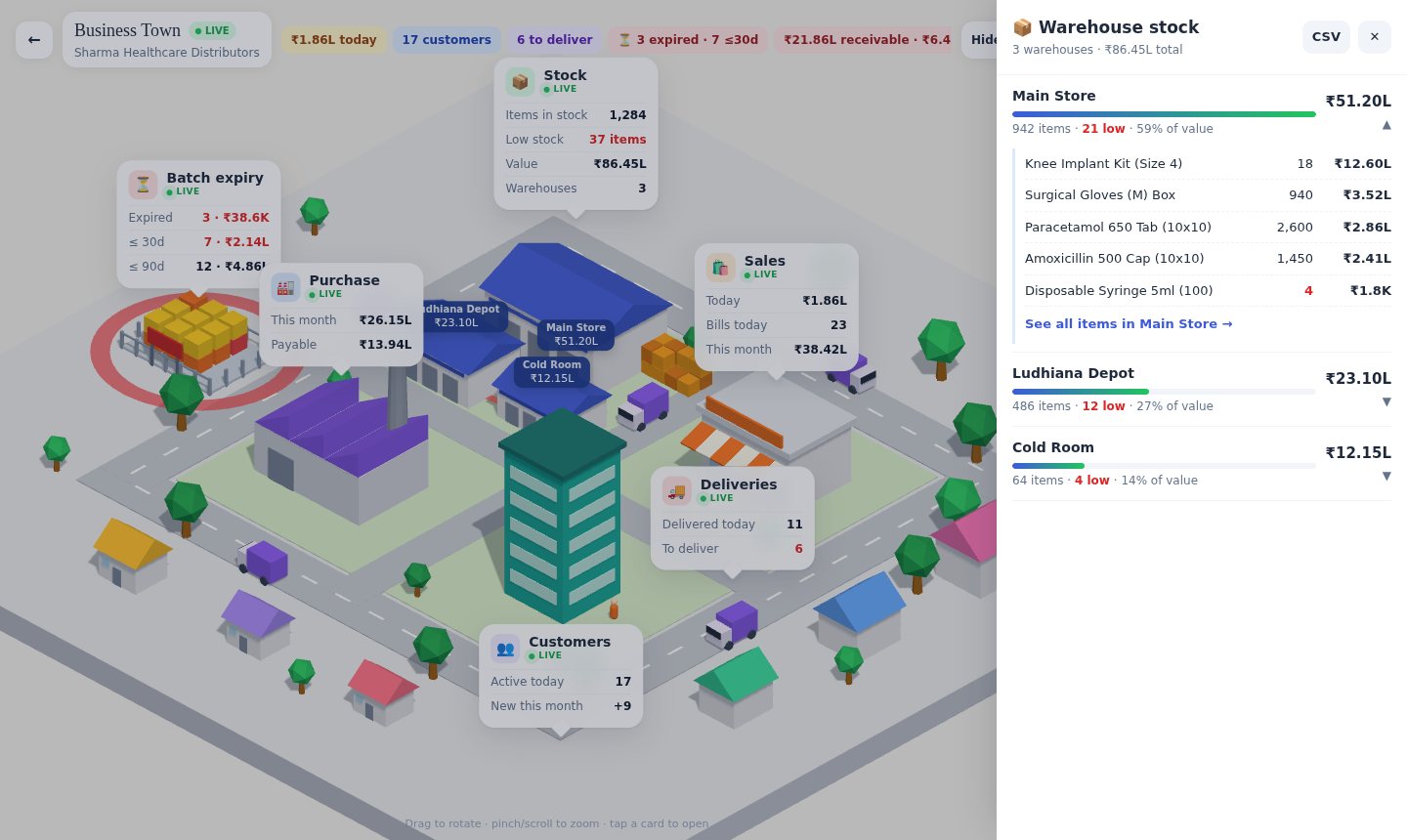
Stock value, warehouse by warehouse
Each warehouse building carries its own value tag. Open the stock card to compare warehouses by value, see how many items are low, and drill into the items that hold the most money.
- Value, item count and low-stock count per warehouse
- Share of total stock value at a glance
- Top items per warehouse with quantity and value
- Jump to the full stock list for that warehouse, or download CSV
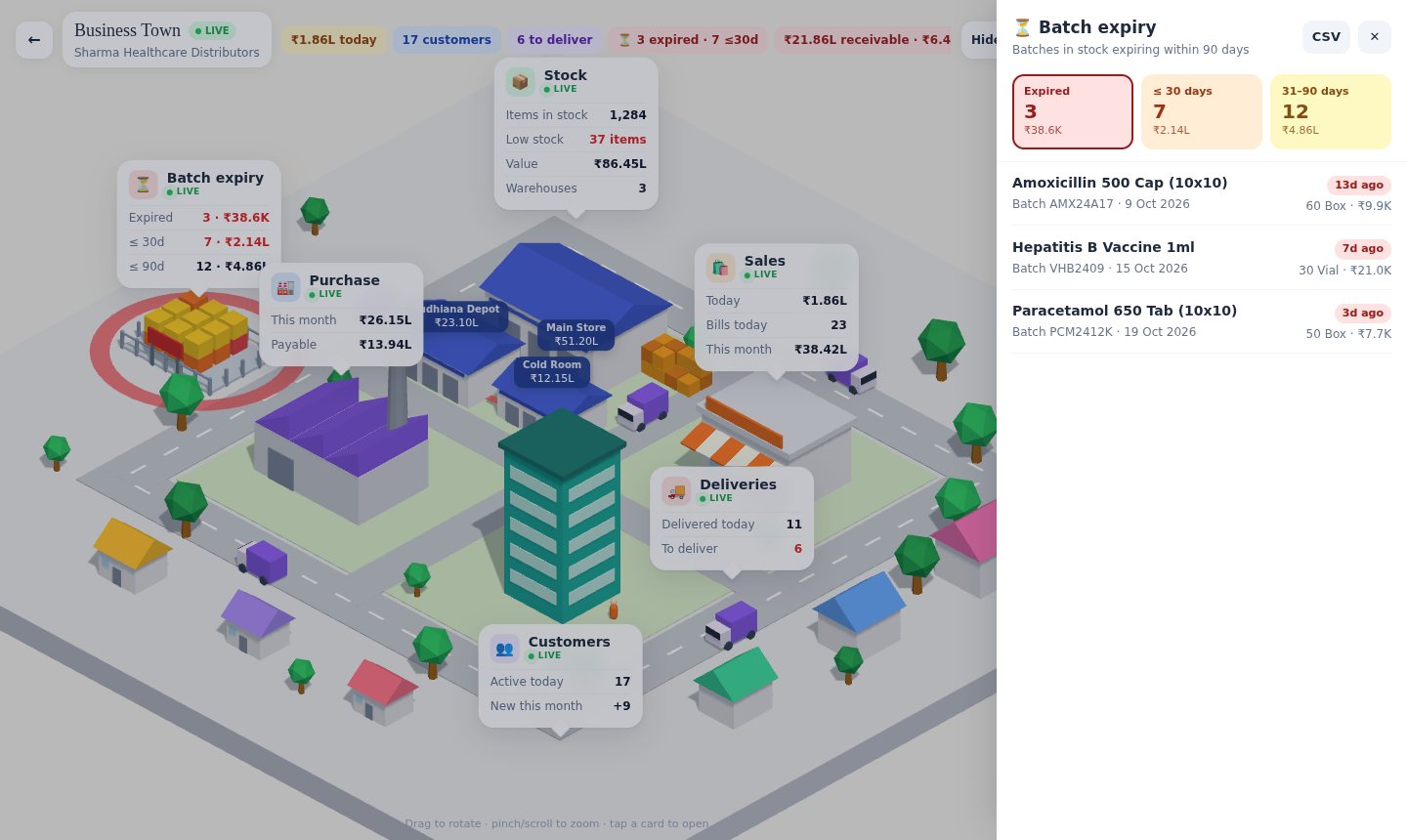
Expiring batches you can actually see
A fenced expiry yard stacks one crate per batch: red for expired, orange for 30 days, yellow for 90 days. It pulses when something has already expired, so nobody misses it.
- Expired, ≤30 days and 31–90 days, with count and value
- Only batches you still hold in stock
- Item, batch number, expiry date and days left
- CSV for your purchase or returns team
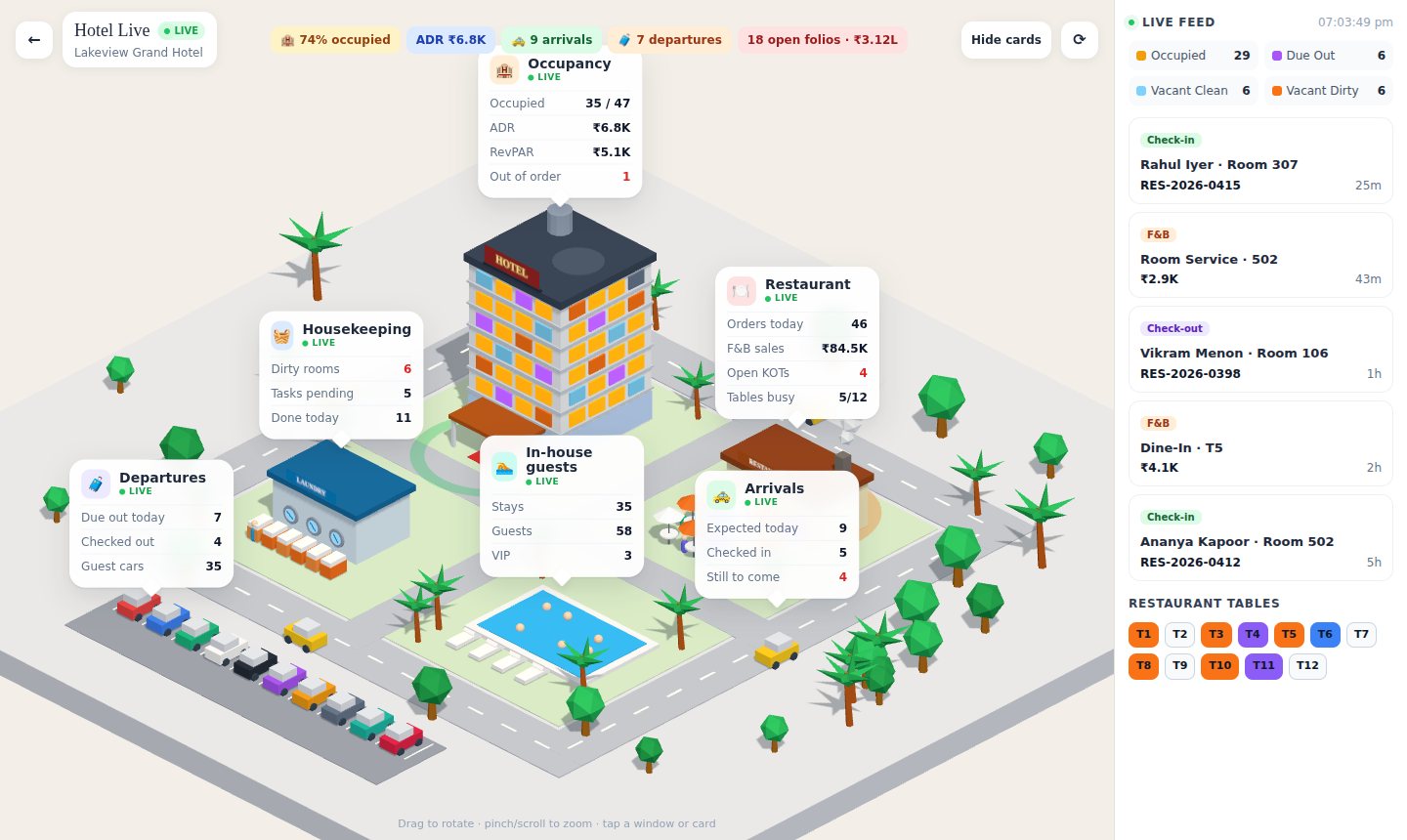
A hotel tower where every window is a real room
Hotel sites get their own scene. Each room in your PMS is a window coloured by its live status, the restaurant terrace shows your real tables, taxis bring arrivals, the car park holds in-house guests and the laundry fills up with dirty rooms.
- Occupied, due out, vacant clean, vacant dirty, out of order
- Occupancy, ADR, RevPAR and open folios
- Arrivals, departures and in-house guests
- Restaurant tables, F&B orders and open KOTs
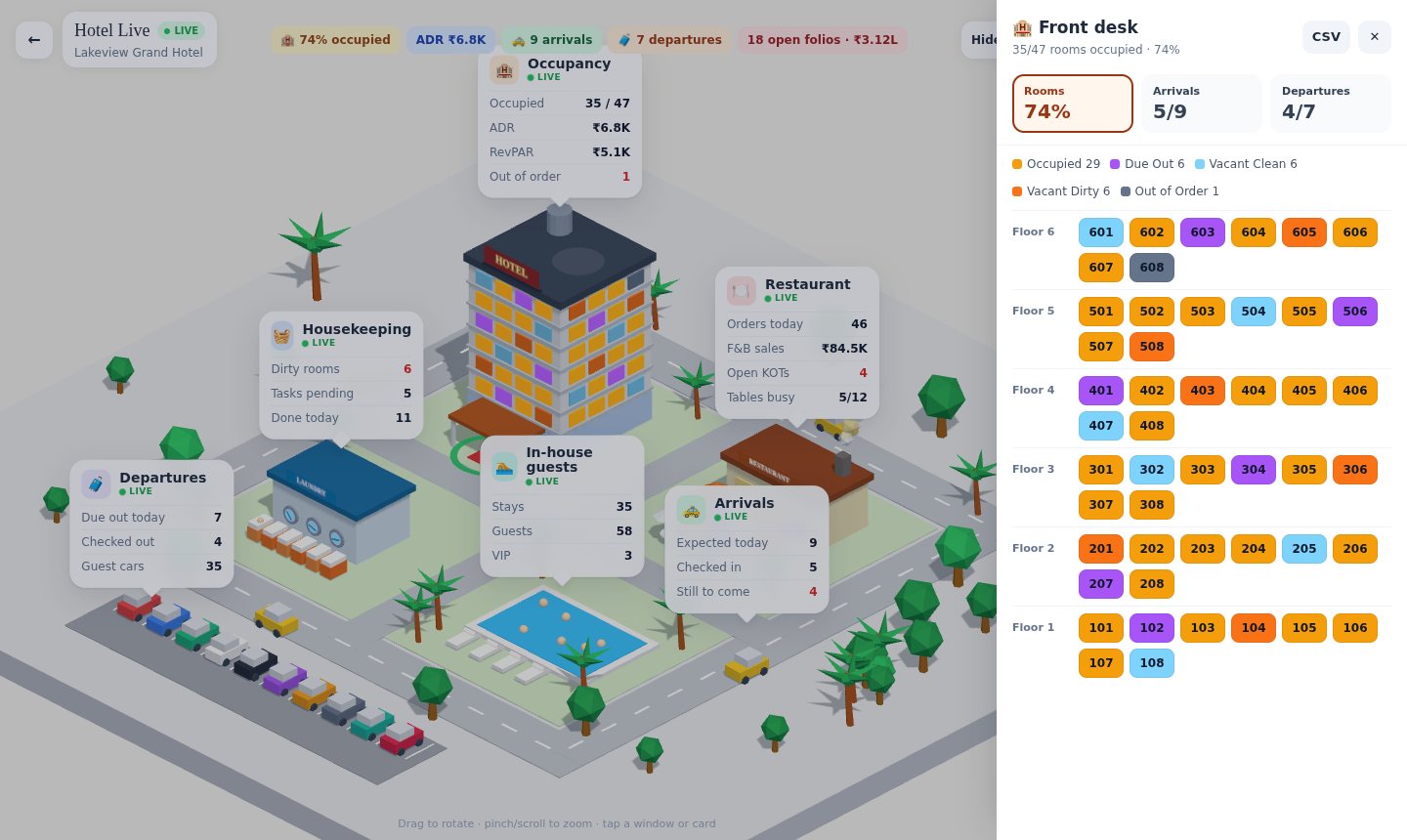
The room rack, one tap away
Open the front desk drawer for a floor-by-floor room rack in the same colours, plus today’s arrival and departure lists with ETA, room and status.
- Rooms grouped by floor, tap a room for guest and type
- Arrivals and departures with check-in/out status
- VIP guests marked
- Download the room list as CSV
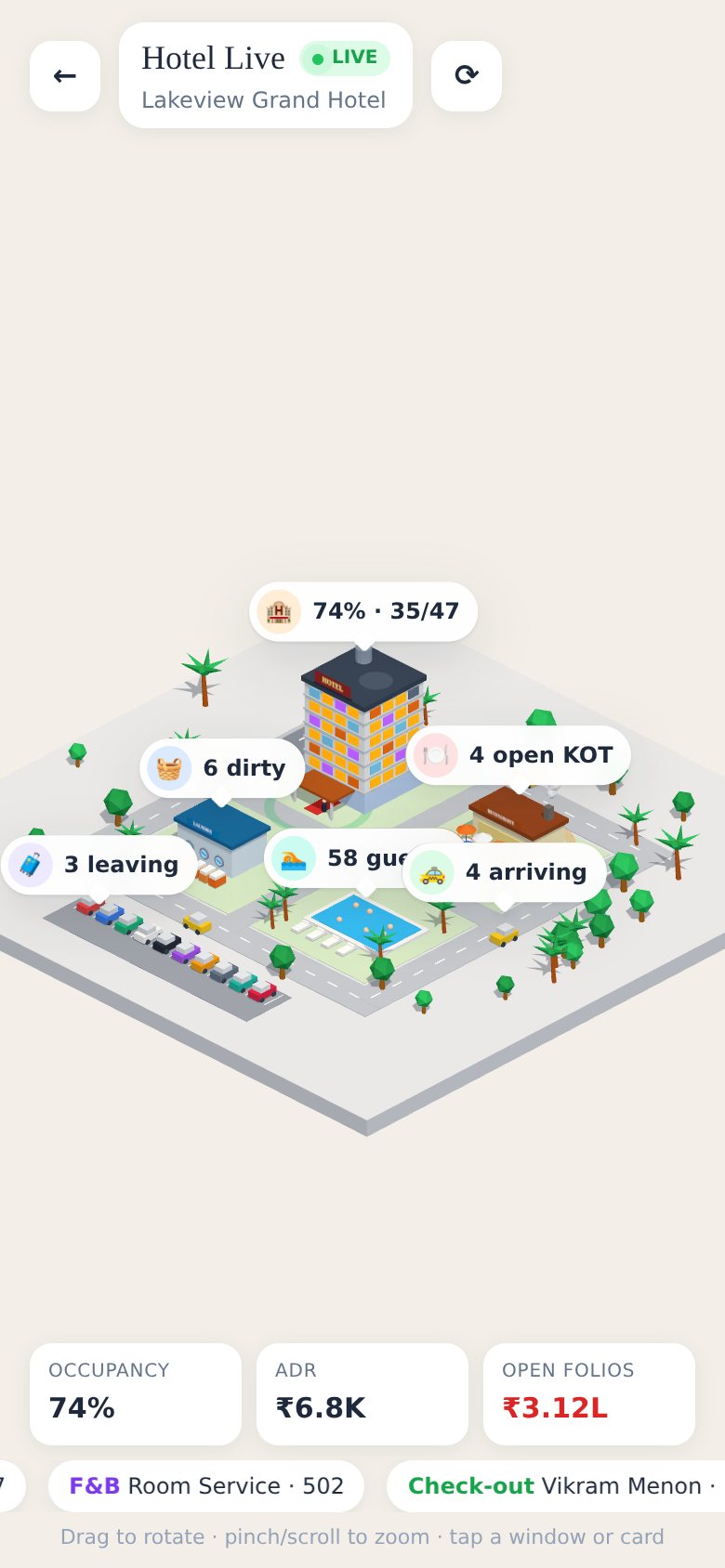
Pinch, rotate, tap
On a phone the cards shrink to tidy pills and the key money numbers sit at the bottom, so the whole business fits in one hand.
A picture you can trust
Same login, same permissions
Sign in with your ERP user — or open it straight from an ERP desk session. Each person sees only what their ERP role allows.
Live, every 30 seconds
The numbers are read from your ERP when the page opens and refreshed every 30 seconds.
Look, don’t touch
The 3D view only reads data. Bills, payments and stock moves are still made in the ERP or the mobile app.
Phone, laptop or office TV
It runs in the browser: drag to rotate and pinch to zoom on a phone, or leave it on a big screen in the office.
Screens show demo data.
Questions about the 3D dashboard
What is the WebSoftOS 3D dashboard?
A live, animated 3D view of your business built from your WebSoftOS ERP data. Each part of the business is a building — warehouses, shop, suppliers, customers, deliveries — with floating cards that show the current numbers. Hotel sites get a hotel scene instead.
Which numbers does it show?
For most businesses: today’s and this month’s sales and purchases, stock value and warehouse-wise stock, low stock, batches expiring within 90 days, top customers, receivables and overdue, payables, cash and bank, and deliveries due. For hotels: room status, occupancy, ADR, RevPAR, arrivals, departures, restaurant tables and KOTs, housekeeping and open folios.
Is it real-time?
It reads your ERP when you open it and refreshes every 30 seconds, so it stays close to live without you reloading the page.
Can someone change data from the 3D dashboard?
No. It only reads data. Tapping a card opens the matching list in the WebSoftOS Business app, where the user’s normal ERP permissions apply.
Does it work for my industry?
Any WebSoftOS ERP site can use the business-town view, which shows the accounts and stock side. Hotels running the WebSoftOS hotel app get the hotel scene automatically. Industry screens such as projects, trips, classes or patients are not drawn in 3D — they stay in the ERP.
How do I open it?
Open your company’s WebSoftOS address followed by /mobile/3d and sign in with your ERP user. We can also add a “3D Dashboard” icon to your ERP desk home screen. Book a demo to see it on your own data.
See your own business in 3D
Book a 30-minute demo and we will open the 3D dashboard on your WebSoftOS data — stock, dues and all.