 WebSoftOS
Your whole business — in your pocket
Sales, purchase, stock, party balances and GST from your phone. Make a GST bill, collect a payment or check today’s sales in seconds — on the same live books your accountant uses.
- Android & iPhone
- Flexible GST billing
- Same ERP login
- Always live
The WebSoftOS Business app is a mobile app for owners and staff of small and medium businesses. It works directly on your WebSoftOS ERP, so a bill made on the phone is the same bill your accountant sees on the desk — with GST, stock and ledgers updated together.
Know where the business stands before your first chai
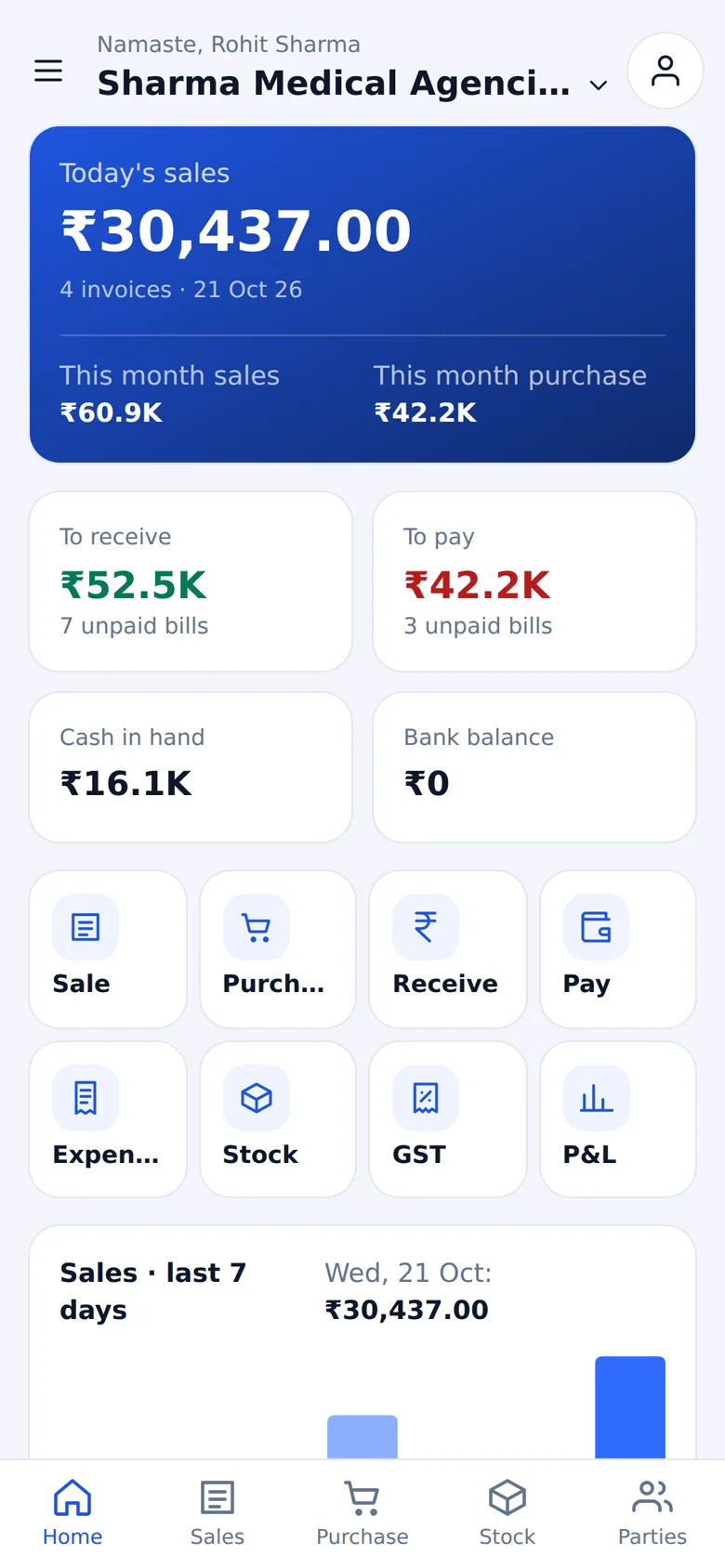
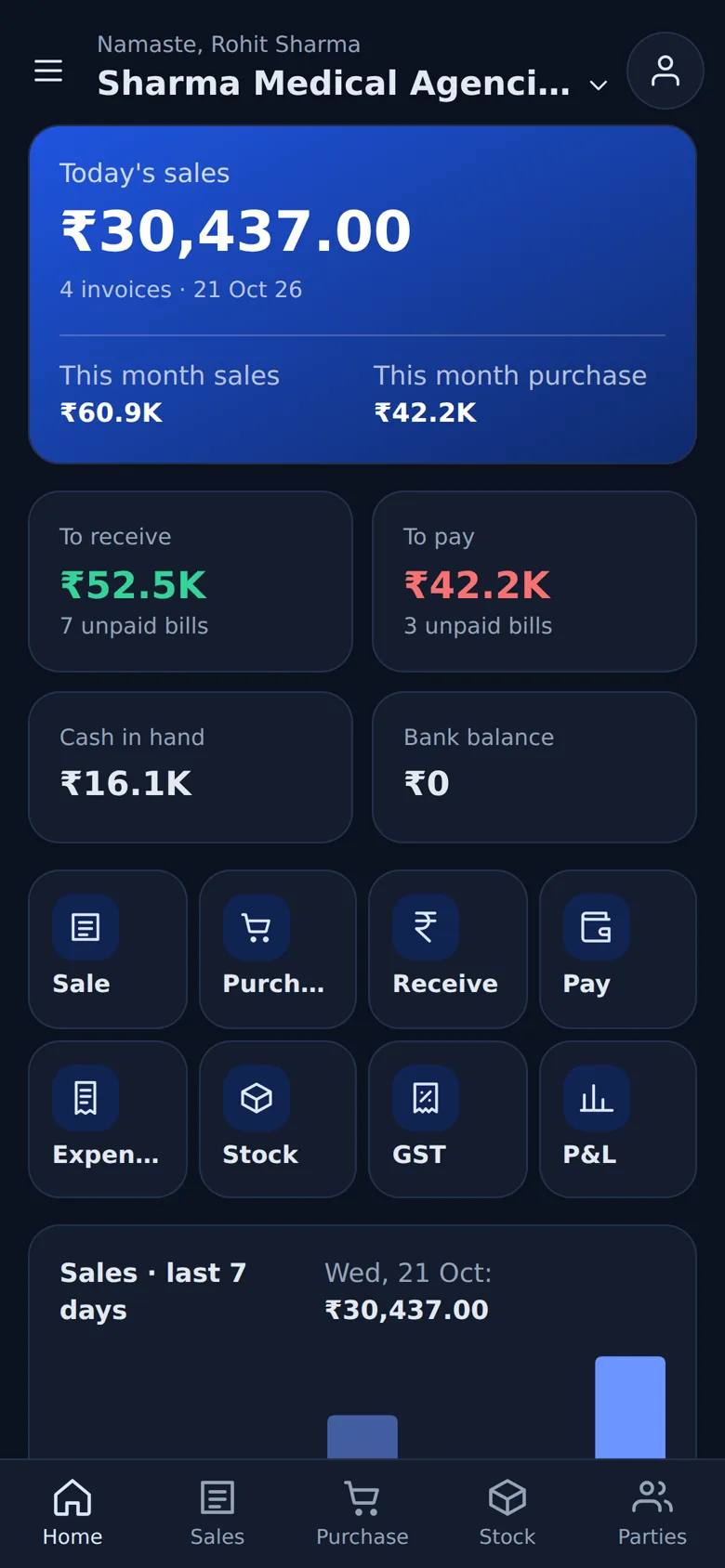
Open the app and see today’s sales, this month’s sales and purchases, what customers owe you, what you owe suppliers, and cash and bank balances — with a 7-day sales chart.
- Today and month-to-date sales and purchases
- To receive / to pay, with unpaid bill counts
- Cash in hand and bank balance from the ledger
- Switch between companies in one tap
Make a GST bill in under a minute
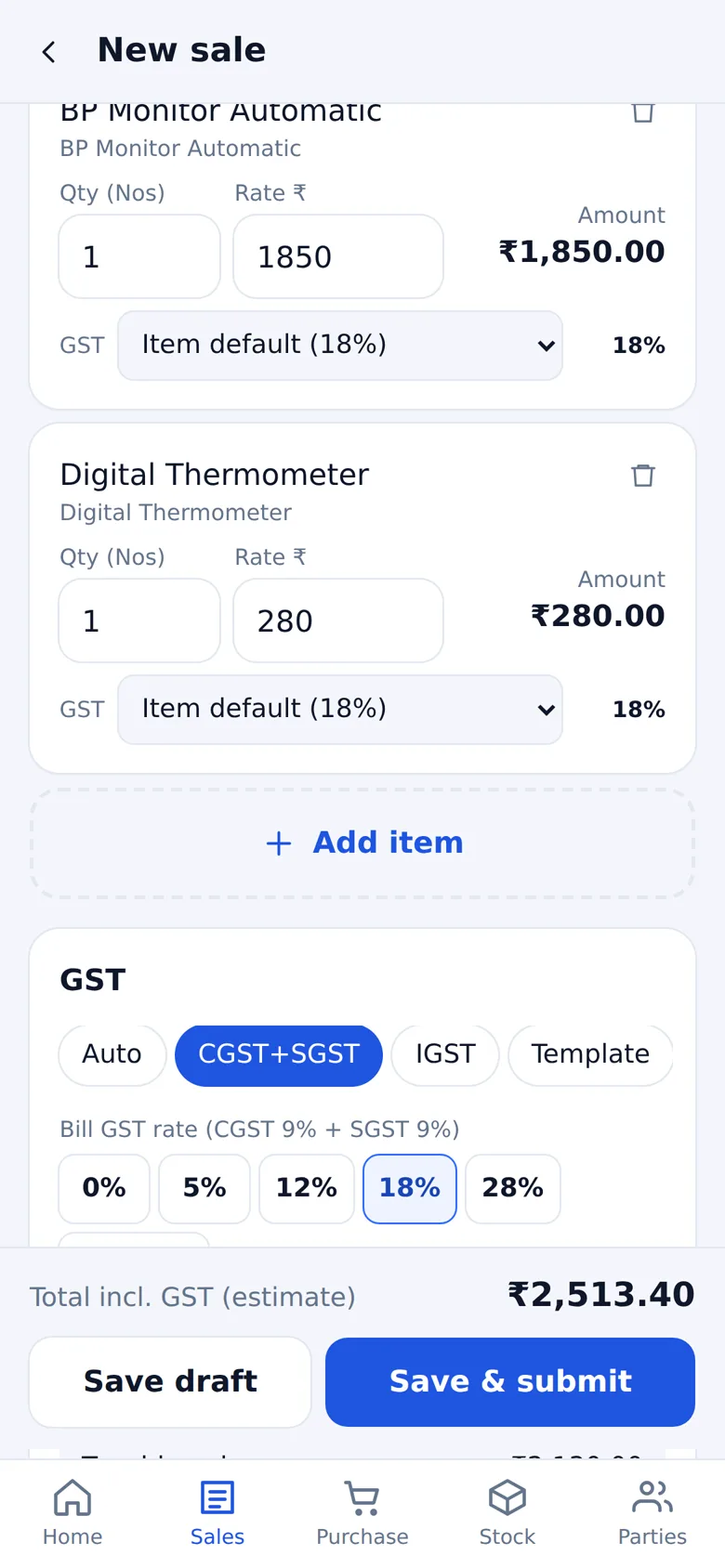
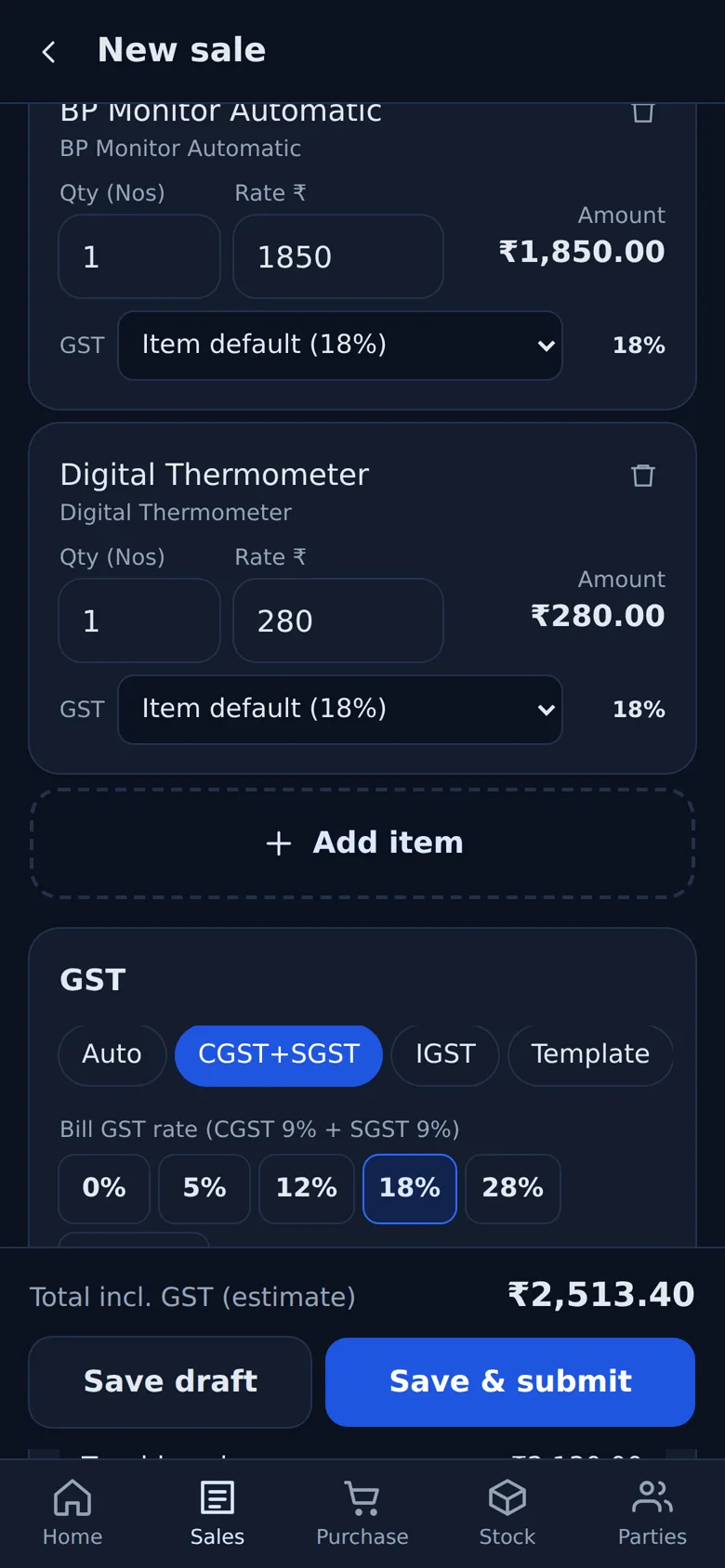
Pick the party, add items (rate and GST fill in from the item), and the app shows CGST, SGST or IGST and the total before you save. Change anything you need.
- Auto GST from the party’s state, or choose CGST+SGST, IGST, a tax template or no GST
- 0, 5, 12, 18, 28% or any custom rate, and a different rate per item
- “Rates include GST” for MRP-style pricing
- Save as draft, edit later, or save and submit
Share, collect and correct — from the same screen
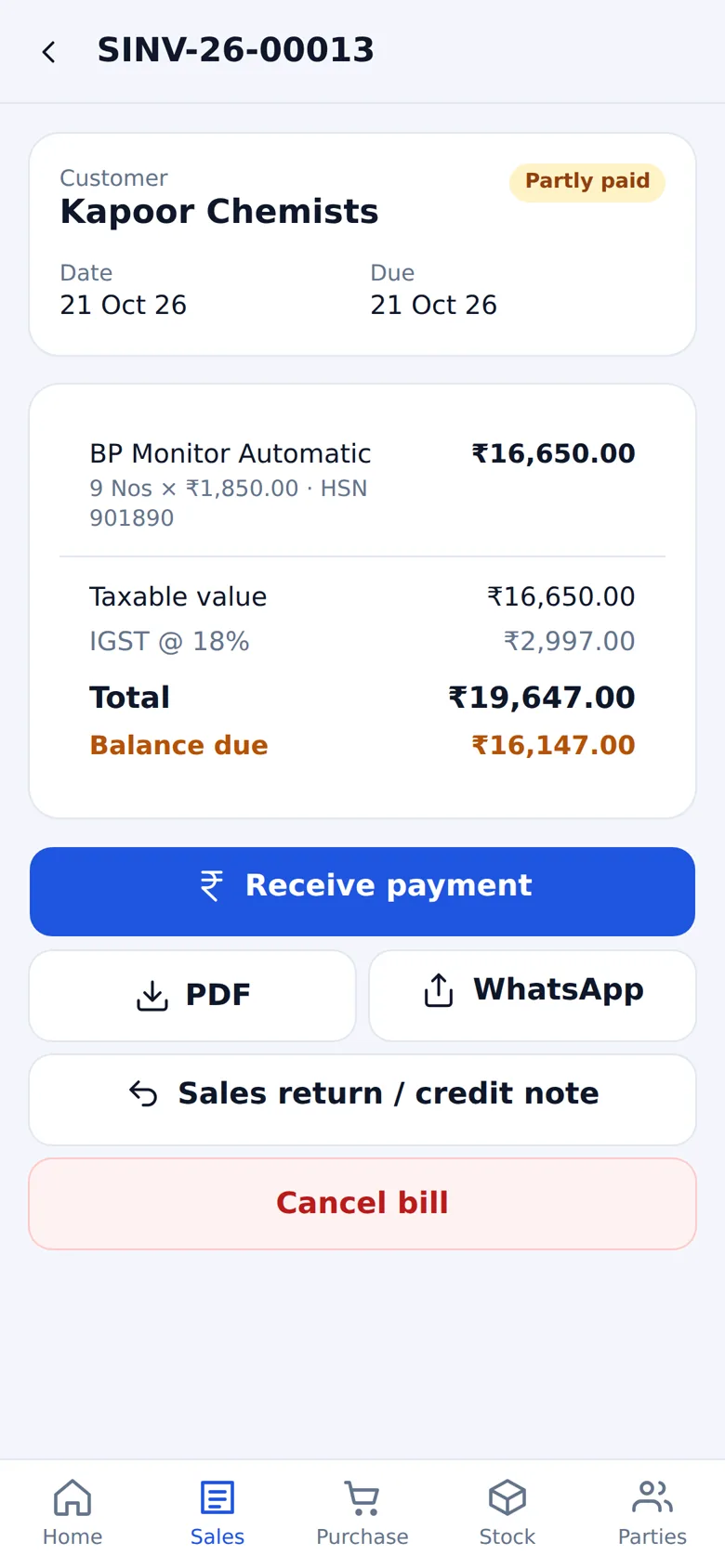
Every bill shows its items, HSN codes, tax rows and balance due, with the actions you actually need next.
- PDF in your own ERP print format
- Share on WhatsApp in one tap
- Receive or make payment against the bill
- Sales return / credit note and debit note
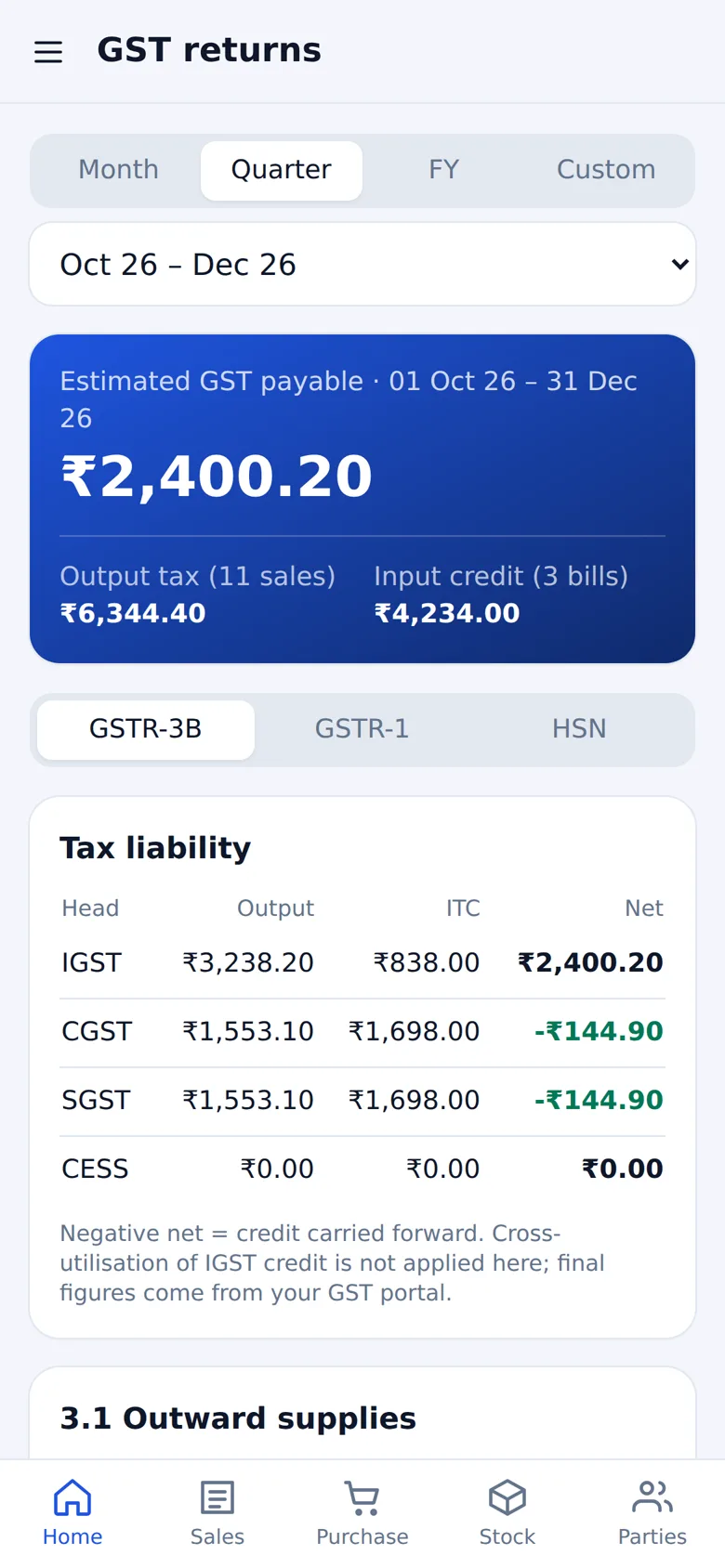
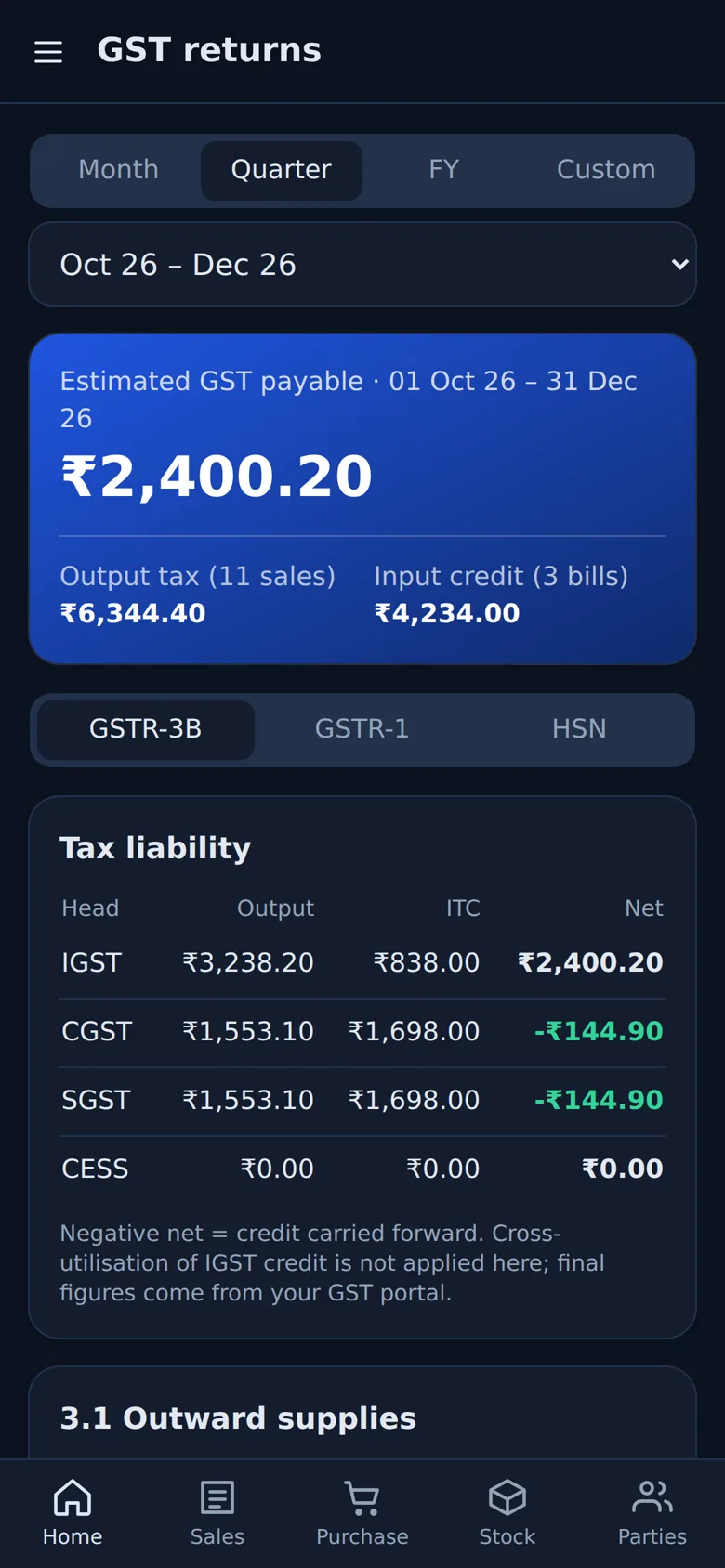
GSTR-3B, GSTR-1 and HSN summary on your phone
See output tax against input credit head by head, the estimated GST payable, B2B invoices with GSTIN and an HSN-wise summary — for a month, a quarter, the year or any dates.
- GSTR-3B style liability: output, ITC and net per IGST/CGST/SGST/cess
- GSTR-1 B2B invoice list and HSN summary
- Download CSV for your CA
- Figures are an estimate from your books — you still file on the GST portal
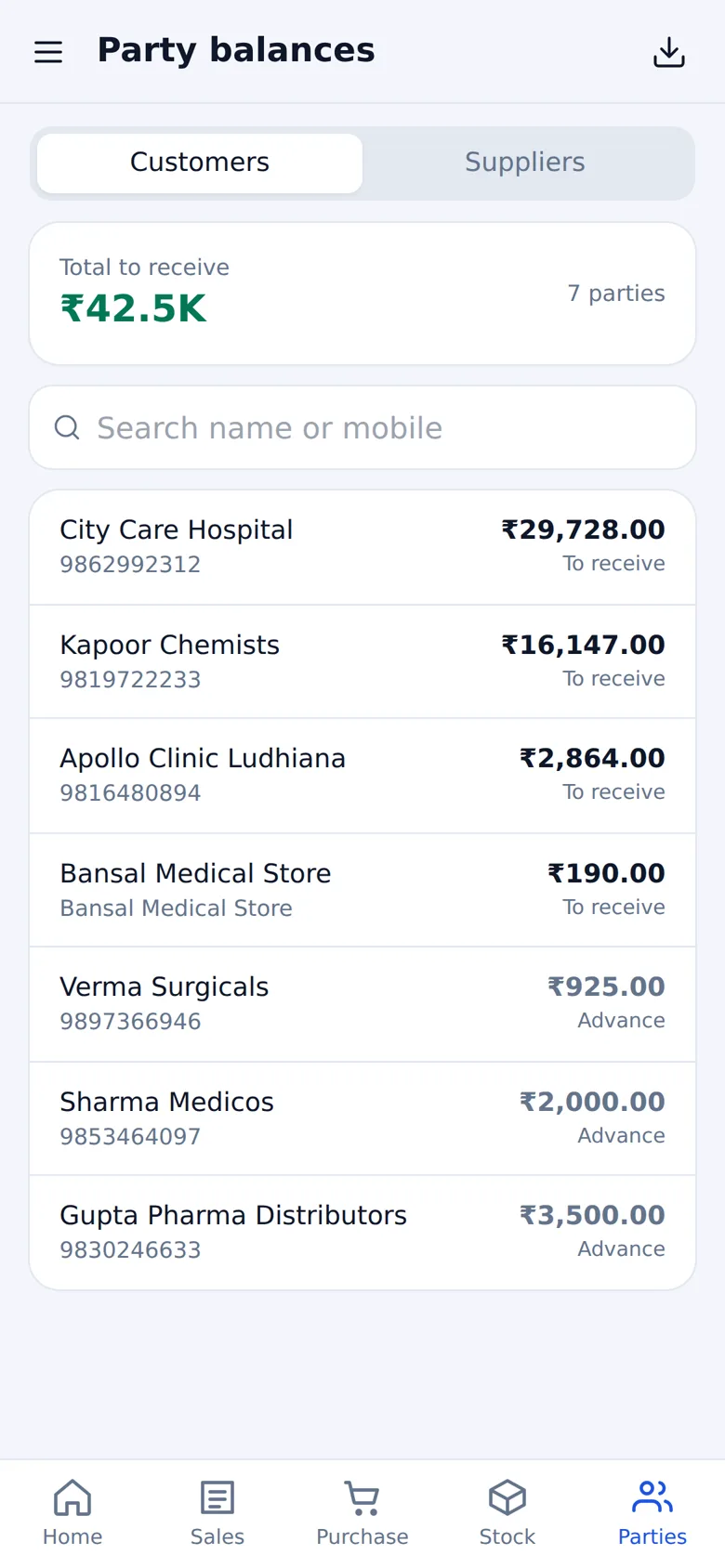
Follow up on money without opening a laptop
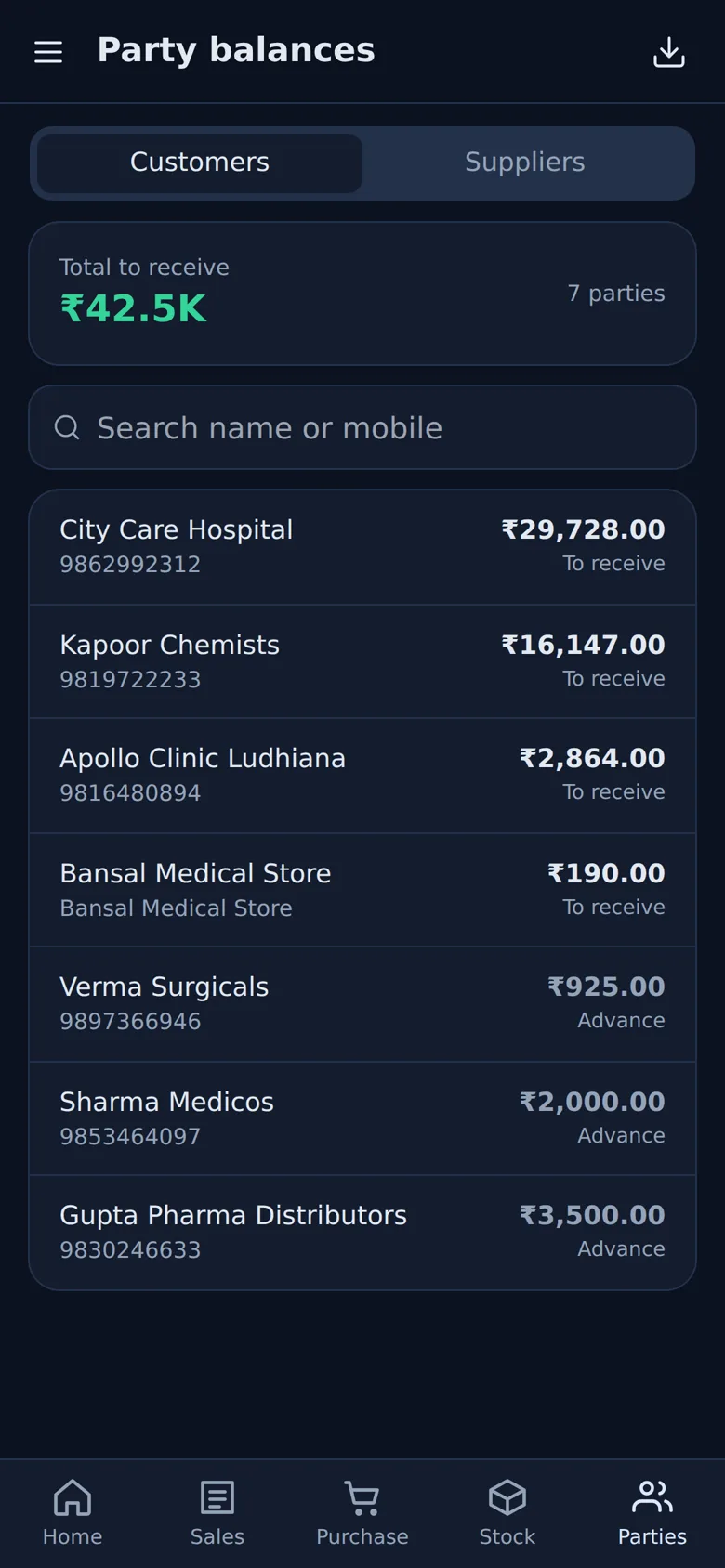
Customer and supplier balances come straight from the ledger, so payments, journals and opening balances all count.
- Receivable and payable lists with totals and search
- Full party ledger with opening and running balance
- Call the party or send a WhatsApp payment reminder
- Export the list or the ledger as CSV
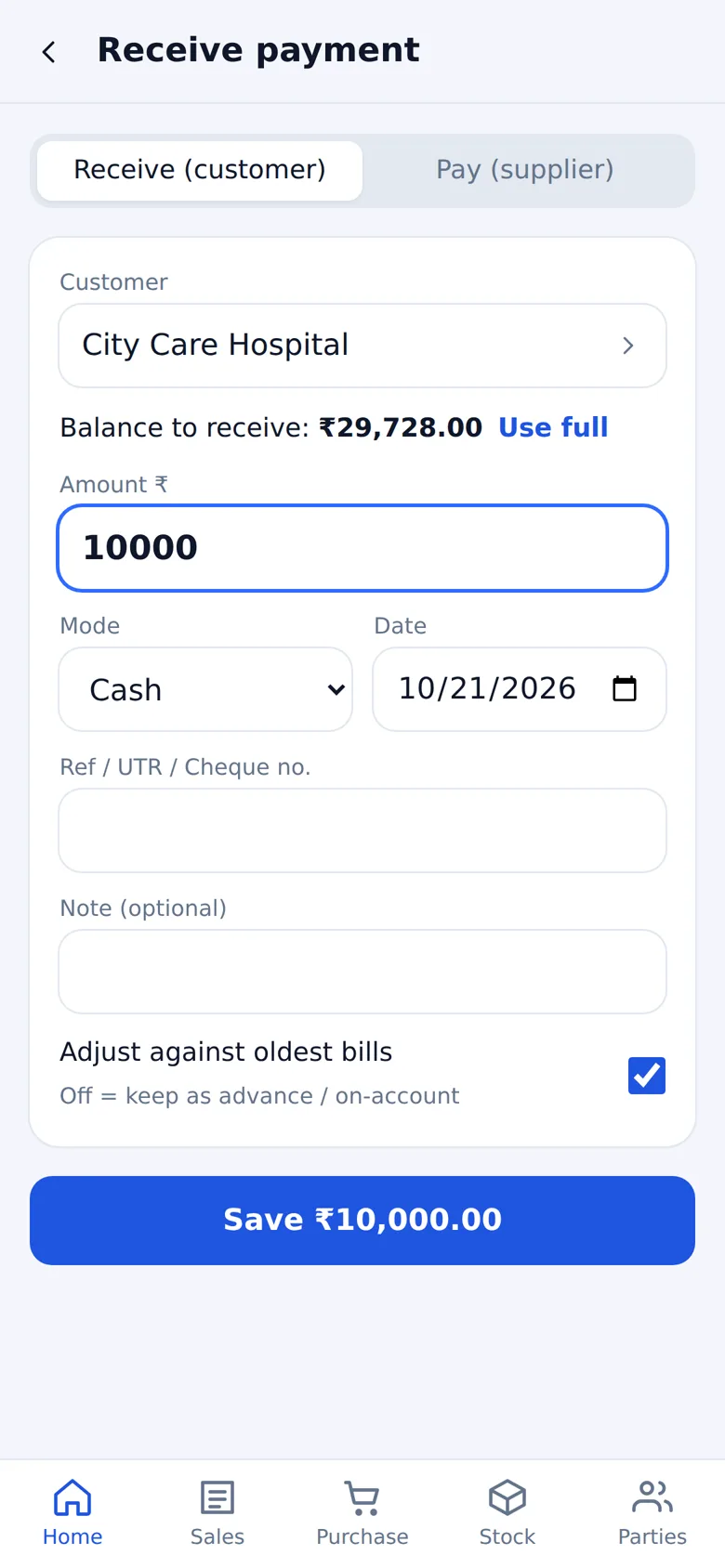
Payments, expenses, P&L and day book
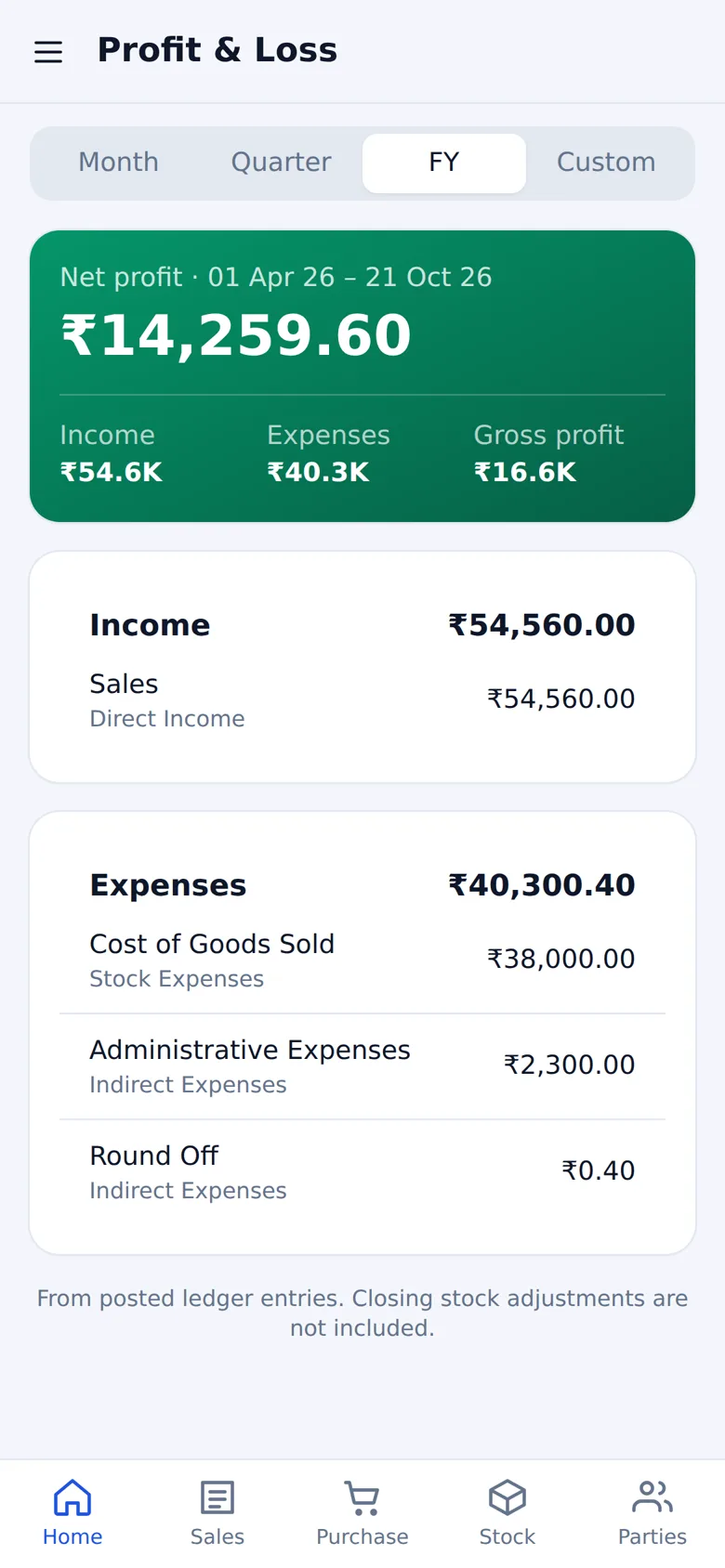
Record what comes in and goes out the moment it happens, and check profit whenever you like.
- Receive or pay in any payment mode set up in your ERP (cash, bank, UPI…), auto-adjusted against the oldest bills — or kept as advance
- Expenses (rent, electricity, freight…) in three taps
- Profit & Loss for month, quarter, FY or custom dates
- Day book with cash and bank in/out for any day
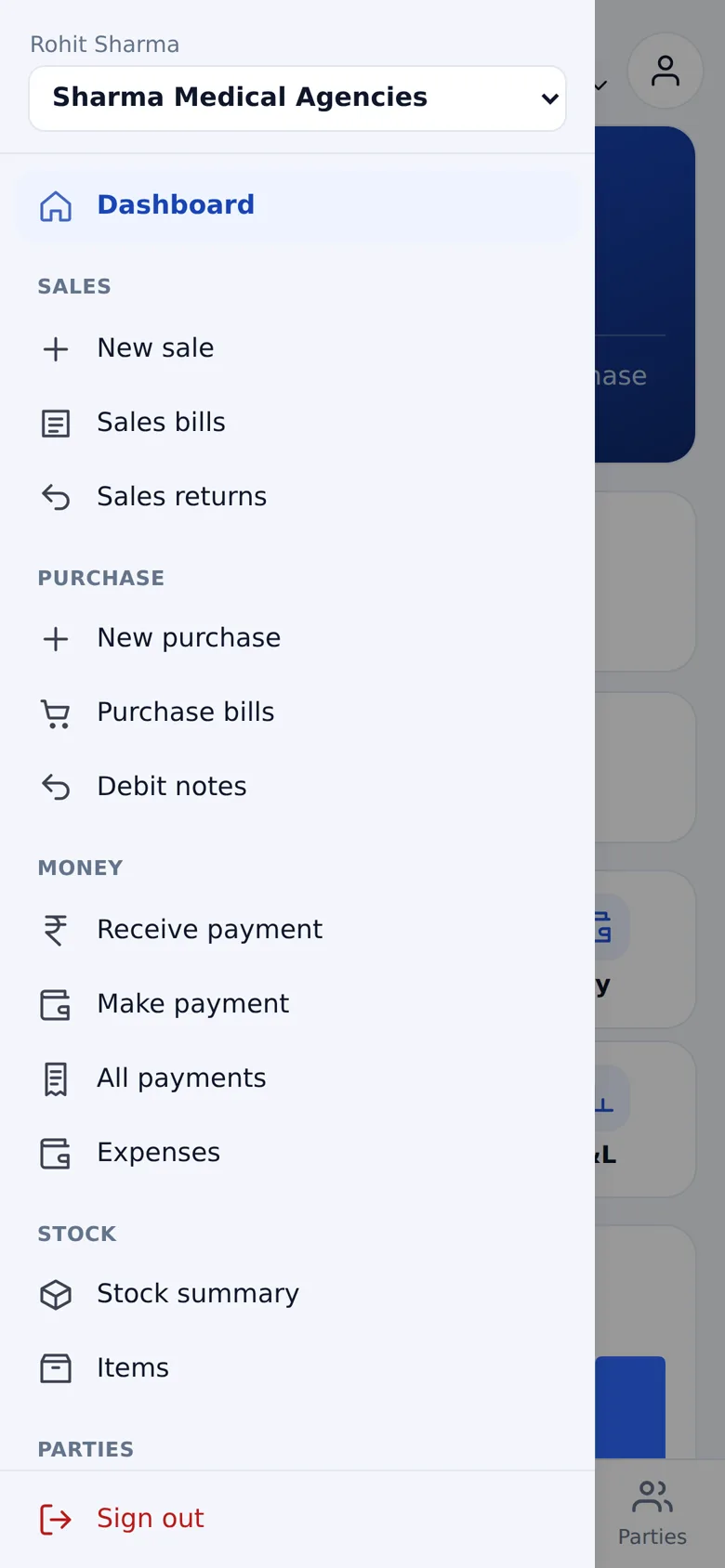
Every screen, built for one thumb
Bottom tabs for the daily work, a side menu for everything else.
Easy on the eyes after closing time
The app follows your phone’s light or dark setting automatically, with colours tuned for both.
On your phone in three steps
- 1
Open the link
Open your company’s WebSoftOS address followed by /mobile in Chrome or Safari.
- 2
Sign in
Use the same username and password you use for the ERP.
- 3
Add to Home Screen
From the browser menu choose “Add to Home Screen” — it opens full-screen like any app.
Mobile convenience without a second system
Your ERP, not a copy
The app reads and writes your WebSoftOS ERP directly. There is no second database to sync or reconcile.
Same login, same permissions
Staff sign in with their ERP user. They see and do only what their ERP role allows.
Always live
Every number is fetched when you open the screen — no stale offline copy.
Installs from the browser
Works on Android and iPhone. Add it to your home screen; no app-store download needed.
Screens show demo data.
Questions about the mobile app
Is the WebSoftOS mobile app on the Play Store or App Store?
No. It is a web app (PWA): open your company’s `/mobile` link on your phone, sign in, and use “Add to Home Screen”. It then opens full-screen like an app, on Android and iPhone.
Can I create GST invoices from my phone?
Yes. You can make sales and purchase bills with GST picked automatically from the party’s state, or choose CGST+SGST, IGST, a tax template, no GST, any rate per bill or per item, and rates that include GST. Bills can be saved as drafts, edited, submitted, shared as PDF or on WhatsApp, and returned with a credit or debit note.
Does the app file my GST return?
No. It shows GSTR-3B style liability (output tax vs input credit), the GSTR-1 B2B list and HSN summary from your books, with CSV downloads for your CA. Filing is still done on the GST portal.
Does it work offline?
No — it needs an internet connection, because every figure is read live from your ERP. This means the numbers on your phone always match the books.
Who can use it, and what can they see?
Any user of your WebSoftOS ERP. They sign in with their ERP username and password and see only the companies, documents and actions their ERP role allows.
Which WebSoftOS sites does it work with?
Sites that run WebSoftOS accounting (ERPNext). GST features need GST set up for your company. Book a demo to see it on your own data, or contact us to switch it on.
Run your business from your phone
Book a 30-minute demo and we will open the app on your own WebSoftOS data — bills, GST and balances included.